

Let’s talk numbers.
If your organization manages hundreds—or thousands—of products in Salesforce, updating price books is a business-critical function. Yet for many enterprises, this task becomes a logistical nightmare, especially when timelines are tight and pricing changes are frequent.
Why Price Book updates break down at scale
Salesforce provides a robust foundation for managing price books and product data with precision. Its native tools support a wide range of business needs. However, when it comes to executing bulk updates across large volumes of products and multiple Price Books, most teams need an extra layer of speed and flexibility—especially when time-sensitive changes are required.
Here’s how it goes:
- Every update means navigating individual records.
- No native bulk-edit screen.
- Risk of human error rises with every click.
- Cross-functional teams lose hours chasing data integrity.
In this video, we walk through what that experience looks like, and why bulk price management quickly becomes a bottleneck for high-volume product teams.
You don’t need to switch platforms—you need to move faster
Let’s be clear: Salesforce is doing exactly what it was built to do.
It gives you a reliable, structured system to manage products, Price Books, and pricing with precision and scale. That’s why it’s the platform of choice for teams who care about clean data and operational control.
But when your business moves fast—launching new products across regions, rolling out pricing changes quarterly or even monthly—you need a faster way to execute those changes. Salesforce has the right architecture. It just wasn’t designed for high-volume updates in bulk by business users.
That’s not a shortcoming. It’s an opportunity to extend Salesforce’s power.
And that’s exactly what Valorx Wave does. It brings a fast, spreadsheet-like experience directly into Salesforce—without compromising structure, security, or control.
Valorx Wave brings a true spreadsheet UI to Salesforce
Wave makes complex data management intuitive and lightning fast. It doesn’t change how Salesforce works; it helps your team move faster right from inside it.
Salesforce handles data, and Wave makes working with that data faster.
Built with Salesforce’s security and controls at its core, Valorx Wave gives your team an Excel-style interface that talks directly to Salesforce. That means your product managers and pricing analysts can bulk update thousands of records in minutes—not hours.
Here’s a walkthrough for Wave that covers key use cases - experience spreadsheet-style editing, create and share Salesforce reports, and even how to get started with Wave.
What do you gain with Wave?
✅ Update thousands of records in minutes with spreadsheet-like efficiency.
✅ Real-time error validation ensures your team fixes issues before they hit the database.
✅ Review and revert options give decision-makers peace of mind with full audit control.
✅ There is no data loss, no local storage required, and no risks involved. All operations occur securely within Salesforce.
Here’s how it works:
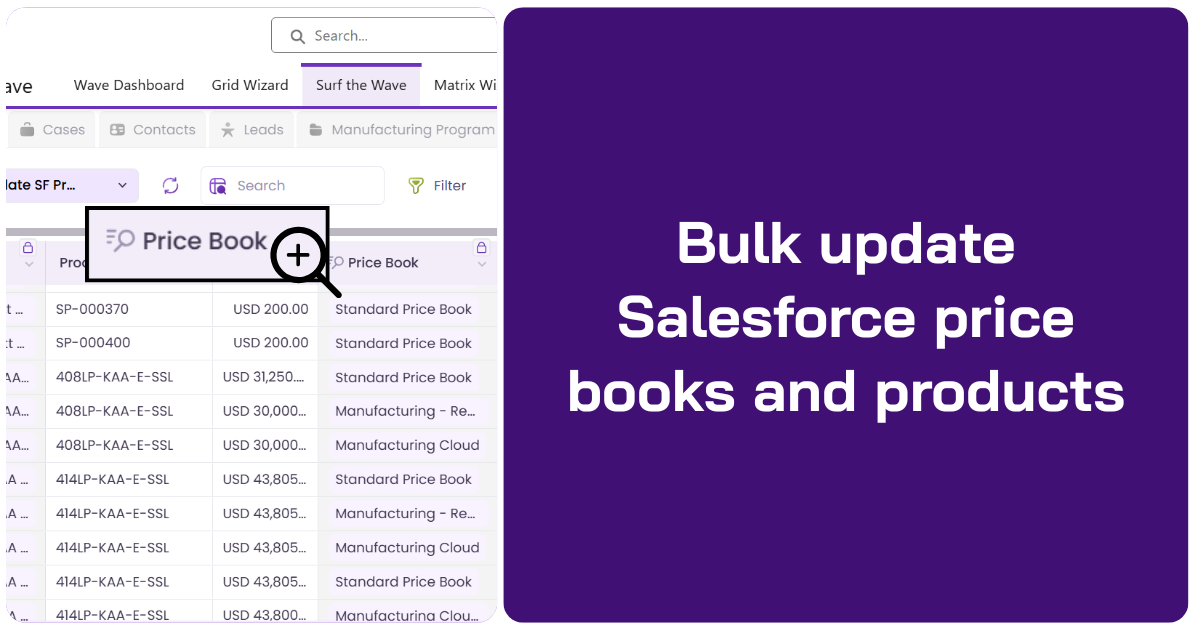
Instead of opening dozens of records, Wave gives you a single, spreadsheet-like view—powered by live Salesforce data—where you can update thousands of Price Book Entries in minutes.
We have had instances where manufacturers have told us that price-book changes used to take them days: exporting products, cleaning spreadsheets, chasing approvals, and praying nothing broke during import.
With Wave, that workflow happens end-to-end inside Salesforce - same org, same security - just a faster, Excel-like grid built for bulk updates.
Watch this walkthrough to understand how, when you open the Price Book view in Wave, right from inside Salesforce, you can filter specific details, and pull in exactly the fields my team cares about—list price, cost, margin %, effective date, and active status.
Every change we make writes back to Salesforce in real time, honoring validation and approvals. I can share this exact view with my pricing team so we’re all editing from the same grid. The result is a repeatable, controlled pricing process that scales: thousands of price book entries updated in minutes, not days.
The takeaway is simple: if you're still updating price books manually, you're burning resources while also introducing risk. With Wave, manufacturers can align pricing operations with business speed—making changes faster, cleaner, and fully auditable inside Salesforce.
It’s about time you move resources from busywork to business value
For a product leader or a CFO, the question isn’t whether Salesforce is capable (it absolutely is). The question is whether your teams are using time and talent efficiently.
Valorx Wave turns bulk updates from a bottleneck into a competitive advantage.
One change across 30 price books in 10 minutes.
We’ve seen teams:
- Launch new pricing models in a single day without calling in IT.
- Update 12,000+ Price Book Entries in under 30 minutes.
- Catch and fix errors before they hit Salesforce.
This is what happens when the right teams have the right tools.
Problem:
Salesforce lacks a native way to bulk update price books quickly.
Solution:
Valorx Wave delivers a spreadsheet-like UI for fast, secure, bulk editing inside Salesforce.
Impact:
Update thousands of records in minutes. No exports. No errors. All secure.
If your business relies on Salesforce price books, Valorx Wave is a no-brainer
Wave doesn’t introduce new complexity. It removes the bottlenecks that slow you down. Salesforce operates not only as your system of record, but as your system of action.
Want to see how it works with your data?

FAQs
1. Can Salesforce handle bulk Price Book updates?
Yes, Salesforce offers tools for managing Price Book data, but bulk updates—especially across multiple Price Books—can be time-consuming using standard UI methods. That’s where Valorx Wave steps in to streamline the process inside Salesforce.
2. What is Valorx Wave?
Valorx Wave is a spreadsheet-style interface that works directly inside Salesforce. It allows users to edit and update thousands of records at once, making complex tasks like Price Book management significantly faster and more efficient.
3. Do I need to export data to Excel to use Valorx Wave?
No. One of Valorx Wave’s key benefits is that it eliminates the need to export data. All edits happen inside Salesforce, maintaining full security, validation, and audit controls.
4. Is Valorx Wave secure?
Yes. Valorx Wave operates entirely within Salesforce’s security model. There’s no local data storage, and all updates follow your existing validation and access rules.
5. How fast is Wave for bulk updates?
Many teams have reported updating 10,000+ records in under 30 minutes. Valorx Wave is built for scale and designed for high-volume operations.
6. Who typically uses Valorx Wave?
Business users like product managers, pricing analysts, and finance teams benefit the most. It’s built to give them speed without relying on IT or admins.
7. Does Valorx Wave work with custom fields and objects?
Yes. Valorx Wave supports custom Salesforce objects and fields, so you can tailor grids to exactly what your team needs.
8. How is this different from using Salesforce Data Loader?
Data Loader is great for admin-level imports, but it requires manual exports, CSV formatting, and no real-time validation. Valorx Wave lets you edit live Salesforce data directly in a spreadsheet-like interface—no imports or exports needed.
9. Is Valorx Wave available on Salesforce AppExchange?
Yes, Valorx Wave is listed on AppExchange and can be embedded directly inside your Salesforce org.
10. Can I try Valorx Wave with my own Salesforce data?
Absolutely. You can schedule a walkthrough or set up a trial to see how it performs with your actual Price Book data.
Web-based CRM-Connectivity
Get started with Wave
Create a Valorx account and enjoy using Wave for free.