Get what you want inside Salesforce.

Wave AI builds the grid around your workflow.
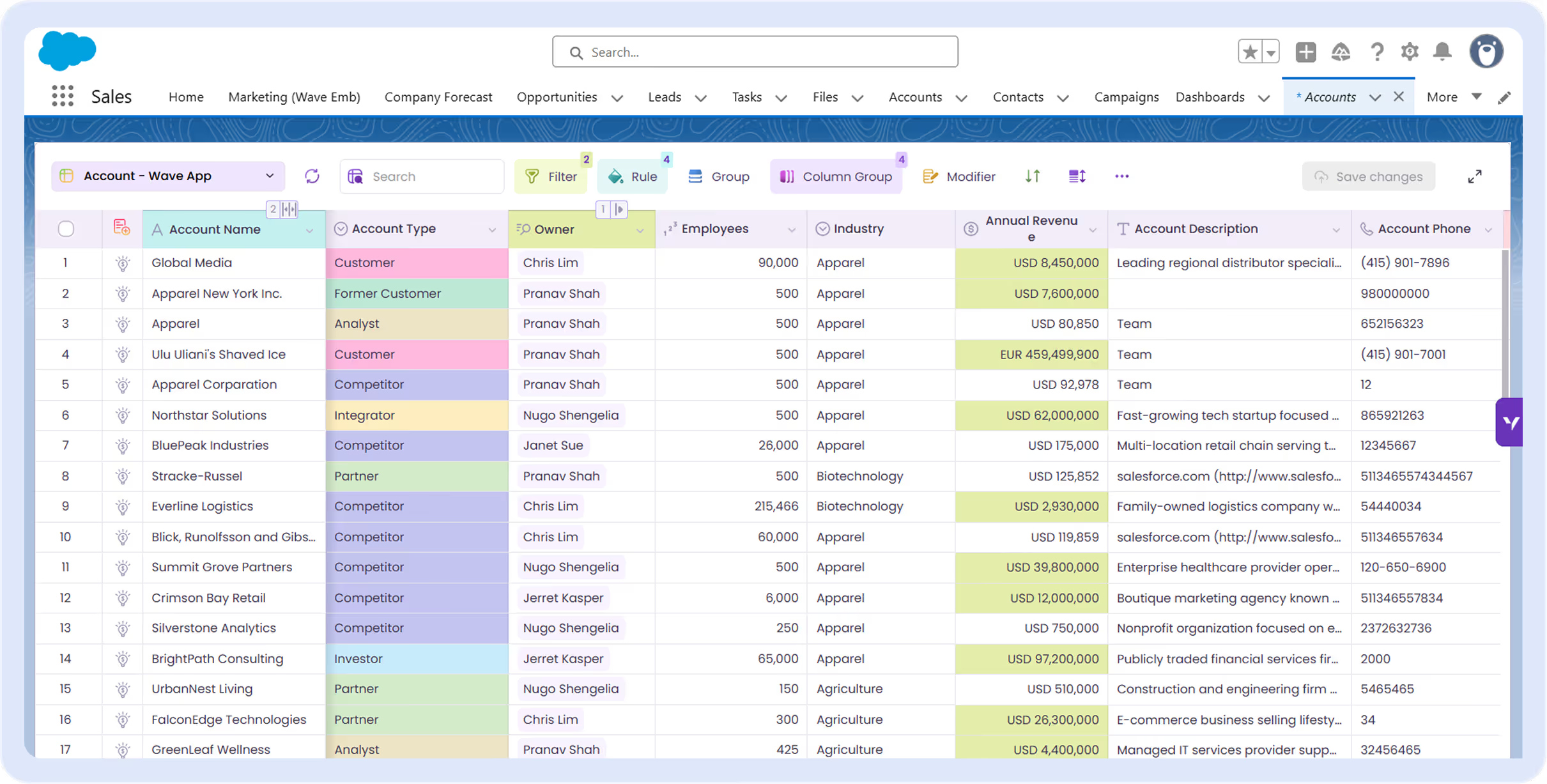
Sales dashboard showing company accounts with columns for account name, type, owner, employees, industry, revenue, and phone.
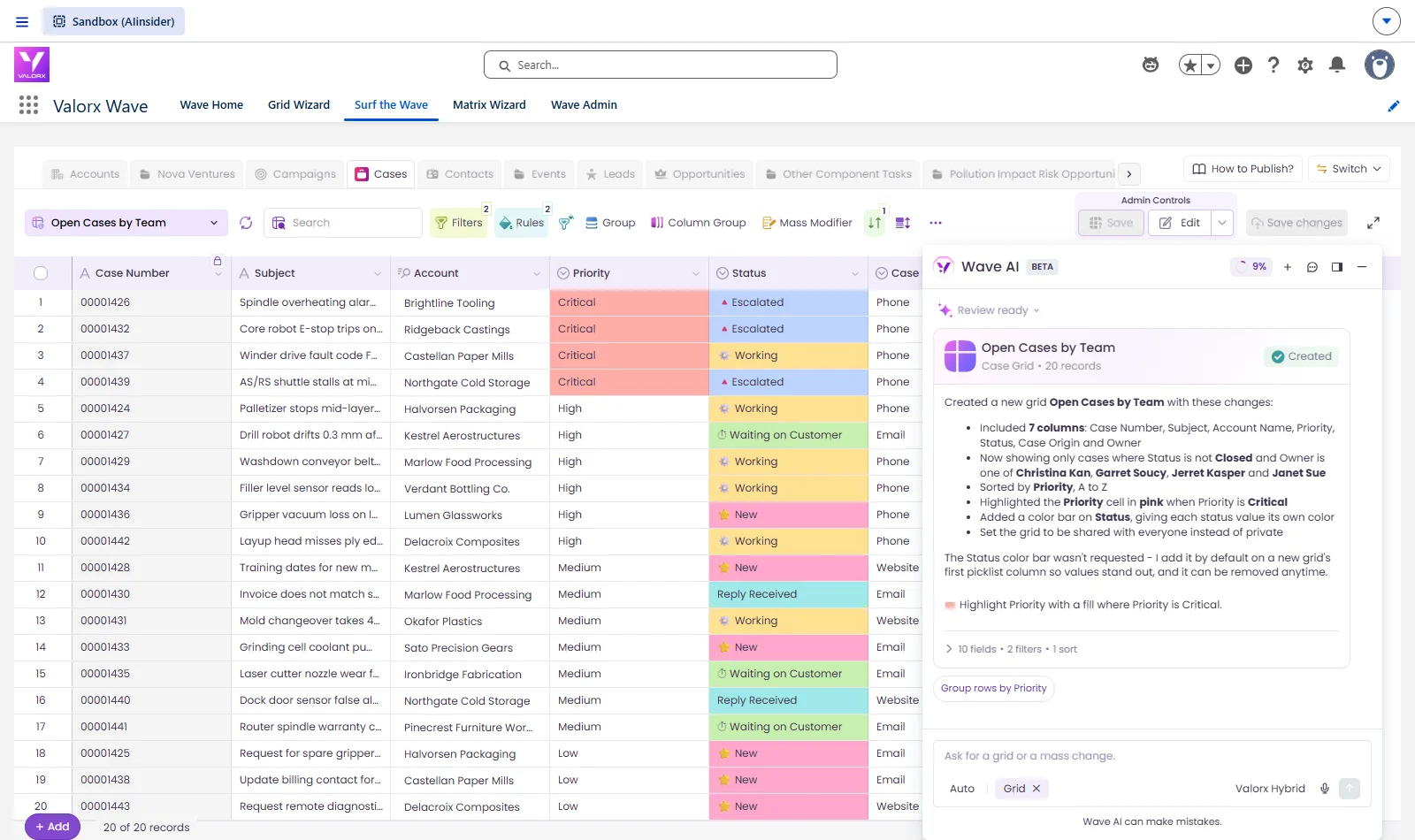
Wave AI inside Salesforce: a prompt on the Wave AI home screen builds a grid of 3M's 1,074 open opportunities with stages colored from early to late.
HOW IT WORKS

Find what's off in Salesforce. Fix it in the same grid.

On the left, your Salesforce list view. On the right, the same records after one prompt.
Before: a Salesforce list of opportunities, edited one at a time. After: Wave AI moves the close date on 549 overdue deals in one reviewed change.

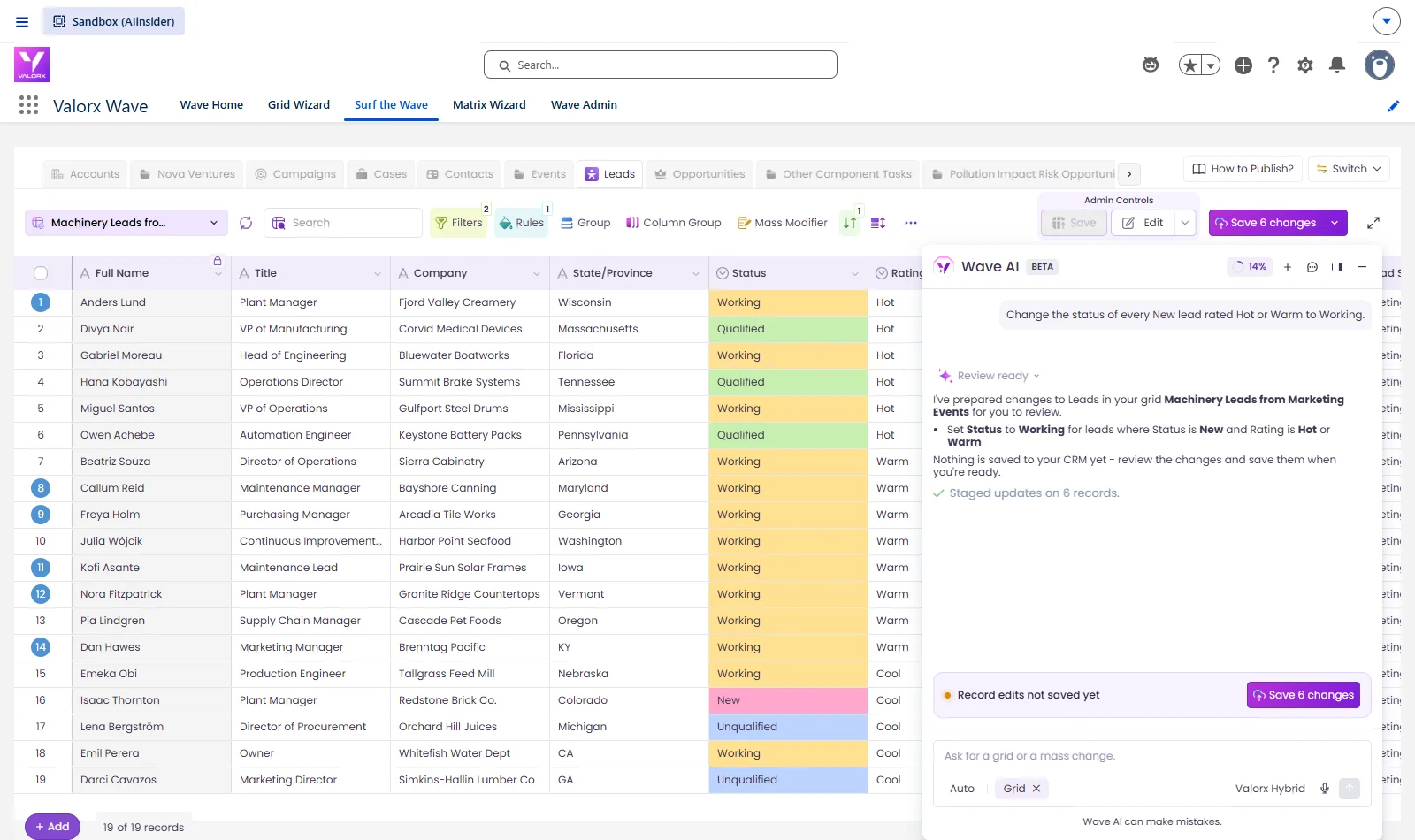
Move every hot lead to Working

Prompt: "Change the status of every New lead rated Hot or Warm to Working." Nothing saves until you say so.
Before: a Salesforce dashboard snapshot as of 12:09 PM. After: a live Wave AI pipeline dashboard where a click on the Discovery bar opens the 55 deals behind it.

Fix accounts missing a phone or website

Prompt: "...highlight rows where Phone or Website is blank." Type the fix in the cell. Save once.
Before: a Salesforce pipeline report with no way to test a slip. After: Wave AI shows what happens if the three biggest deals slip, with a before and after dashboard and the three deals highlighted in a grid.

Spot the deals that slipped

Prompt: "In the opportunities under each account, highlight in red any close date that is already in the past." Past-due close dates turn red.
Before: the Salesforce edit form for a single opportunity. After: one sentence to Wave AI moves the close date on the five biggest deals, reviewed before it saves.

See every account with its open deals

Prompt: "...Under each account, show its open opportunities as a related list..." Open deals sit under each account.
Before: a Salesforce list of opportunities, edited one at a time. After: Wave AI moves the close date on 549 overdue deals in one reviewed change.
Before: a Salesforce dashboard snapshot as of 12:09 PM. After: a live Wave AI pipeline dashboard where a click on the Discovery bar opens the 55 deals behind it.
Before: a Salesforce pipeline report with no way to test a slip. After: Wave AI shows what happens if the three biggest deals slip, with a before and after dashboard and the three deals highlighted in a grid.
Before: the Salesforce edit form for a single opportunity. After: one sentence to Wave AI moves the close date on the five biggest deals, reviewed before it saves.
USE CASES

What teams prompt first

The four picks on the beta sign-up form, run on real records.

Pipeline review

Every account with its open deals underneath. Narrow to Hot and Warm, and slipped close dates turn red.
Join the beta
Valorx Wave Matrix showing forecast, actual and backlog quantities for every Dave Autostore product by month.

Data cleanup

Records with gaps light up. Type the fix in the cell, then one save updates Salesforce.
Join the beta
The Dynamic Measures list in Valorx Wave Matrix with forecast, actual, sales price, discount, backlog and upside quantity.

Service queue

Every open case, worst first. Narrow to the stuck ones and raise their priority in one prompt.
Join the beta
The Valorx Wave Matrix save summary after two forecast changes were written back to Salesforce sales agreement product schedules.

Leads ready to work

Move every hot lead to Working with one prompt. Each change is marked for review.
Join the beta
The Matrix Detail View in Valorx Wave showing the sales agreement product schedule behind one forecast cell.

Forecasting · in testing

Wave Matrix forecasts built from a prompt. Beta members try it first.
Join the beta
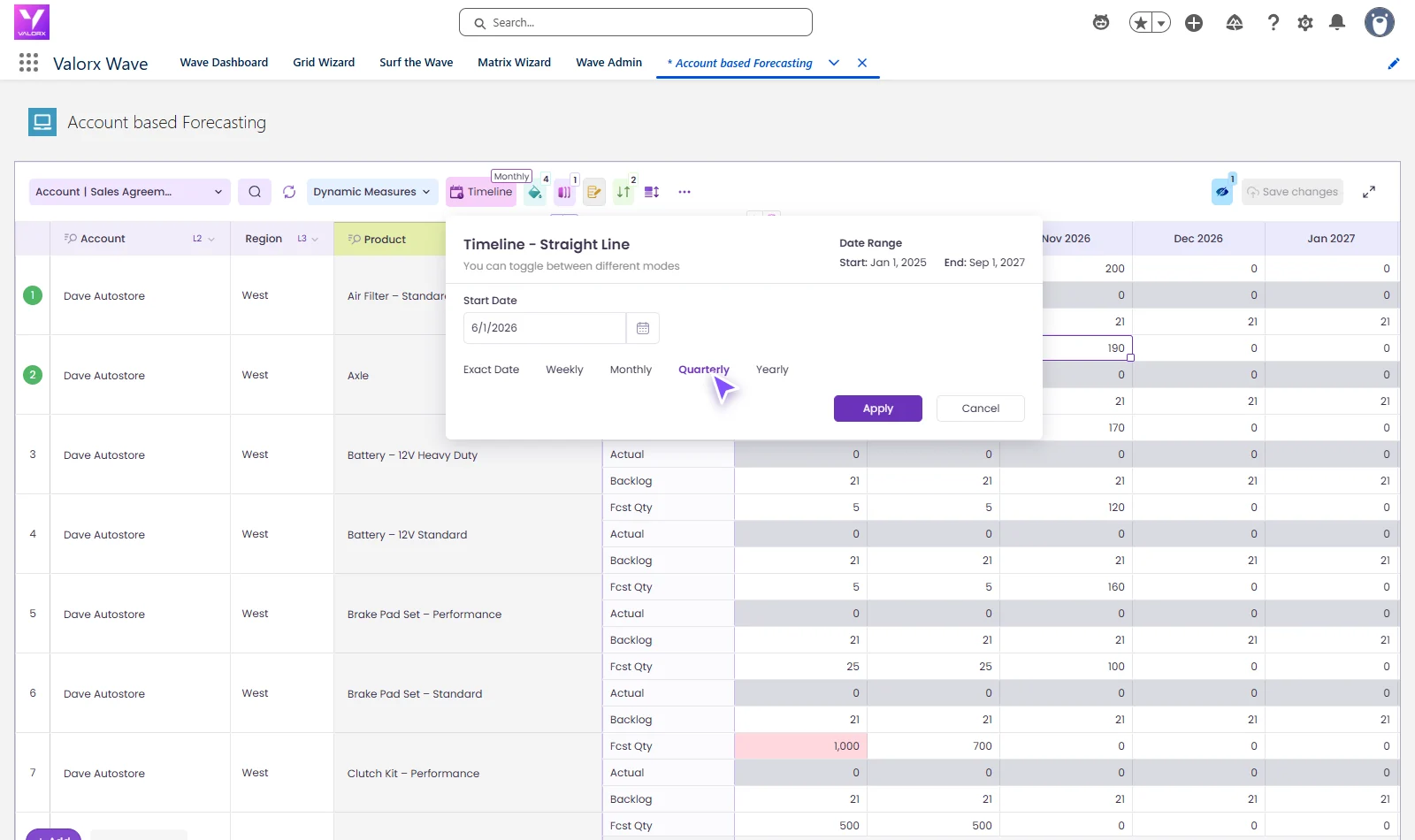
Valorx Wave Matrix timeline settings with a start date, date range and exact date, weekly, monthly, quarterly and yearly views.

What changes when you add Wave AI to Salesforce

Salesforce holds the records. Wave AI builds the grid you fix them in.
Without Wave AI
A new report for every question
Records fixed one page at a time
Reports you can read but not edit
Bulk changes need a separate tool
With Wave AI
Prompt it and get the grid
Filter, sort and highlight in a sentence
Edit many rows at once, in Salesforce
Every change marked until you save

Soft gradient background fading from light gray to pale blue and white.